Skip to content

Releases

GraFx Genie Vision

rn_icon

Good to know

These changes will only have impact on new assets, or on assets that have never been processed before

✨ What’s New

  • Recognition of more contextual objects such as houses and buildings

🛠️ What's Improved

  • Person detection
  • Removed Logo detection to get rid of false positives
  • Eye detection improvements for better POI performance for persons

📚 Refresh your knowledge on Smart Crop

See Smart Crop concept pages

See Smart Crop how to pages

Introducing: GraFx Brand Kits

rn_icon

Define your visual identity once: media, colors, fonts, character styles and paragraph styles. Apply it everywhere in GraFx Studio for lightning-fast, on-brand template creation.

See GraFx Brand Kits

GraFx Studio

rn_icon v1.27

✨ What’s New

✍️ Text & Fonts

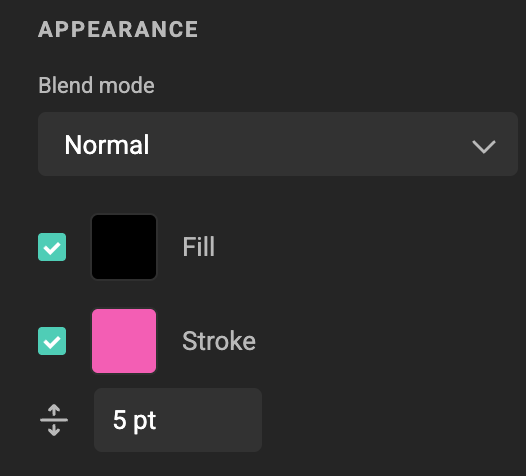
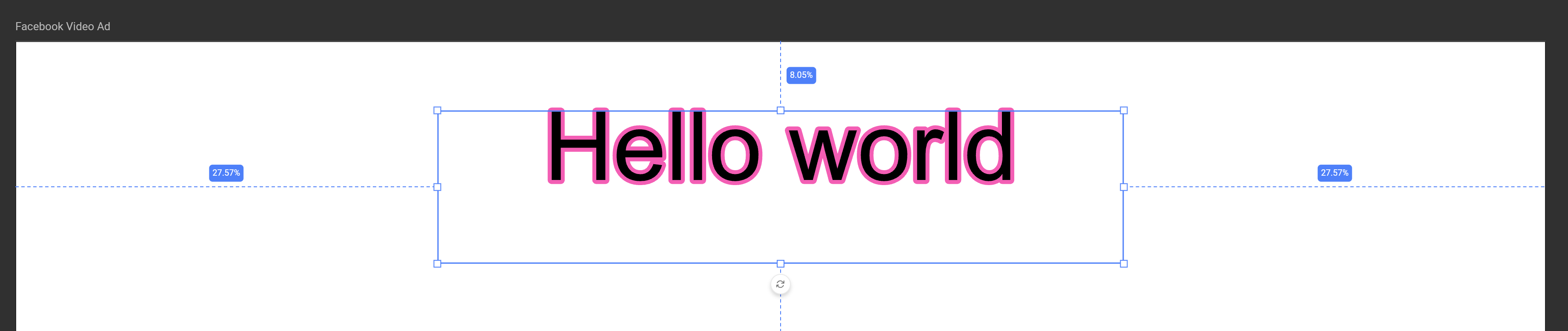
  • Text stroke. Add crisp outlines with rounded joins, perfectly rendered in editor and PDF.
screenshot-full

screenshot

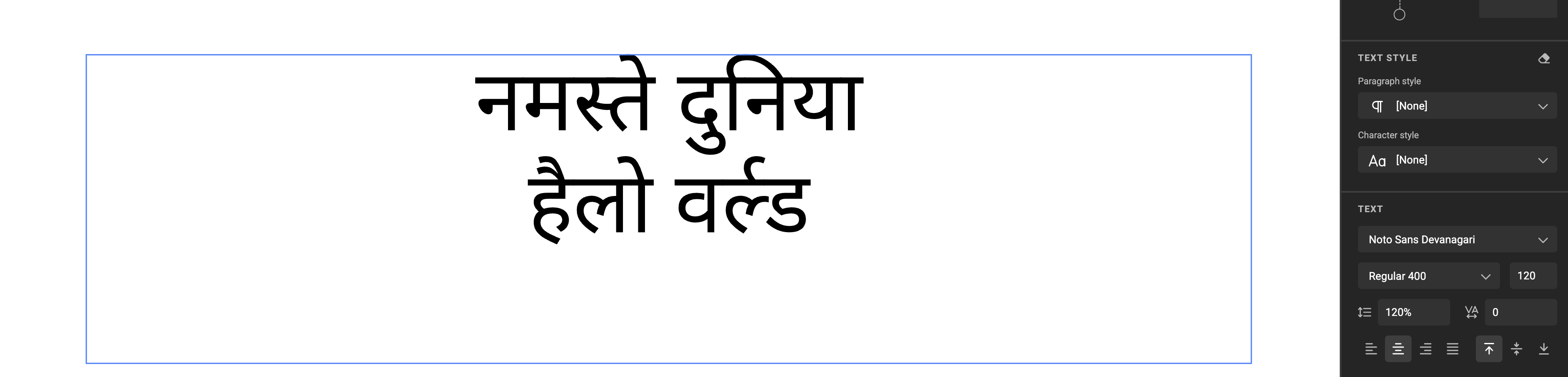
  • Indic-language support. Hello World to Devanagari (and friends).
screenshot-full

⚡ Designer Productivity

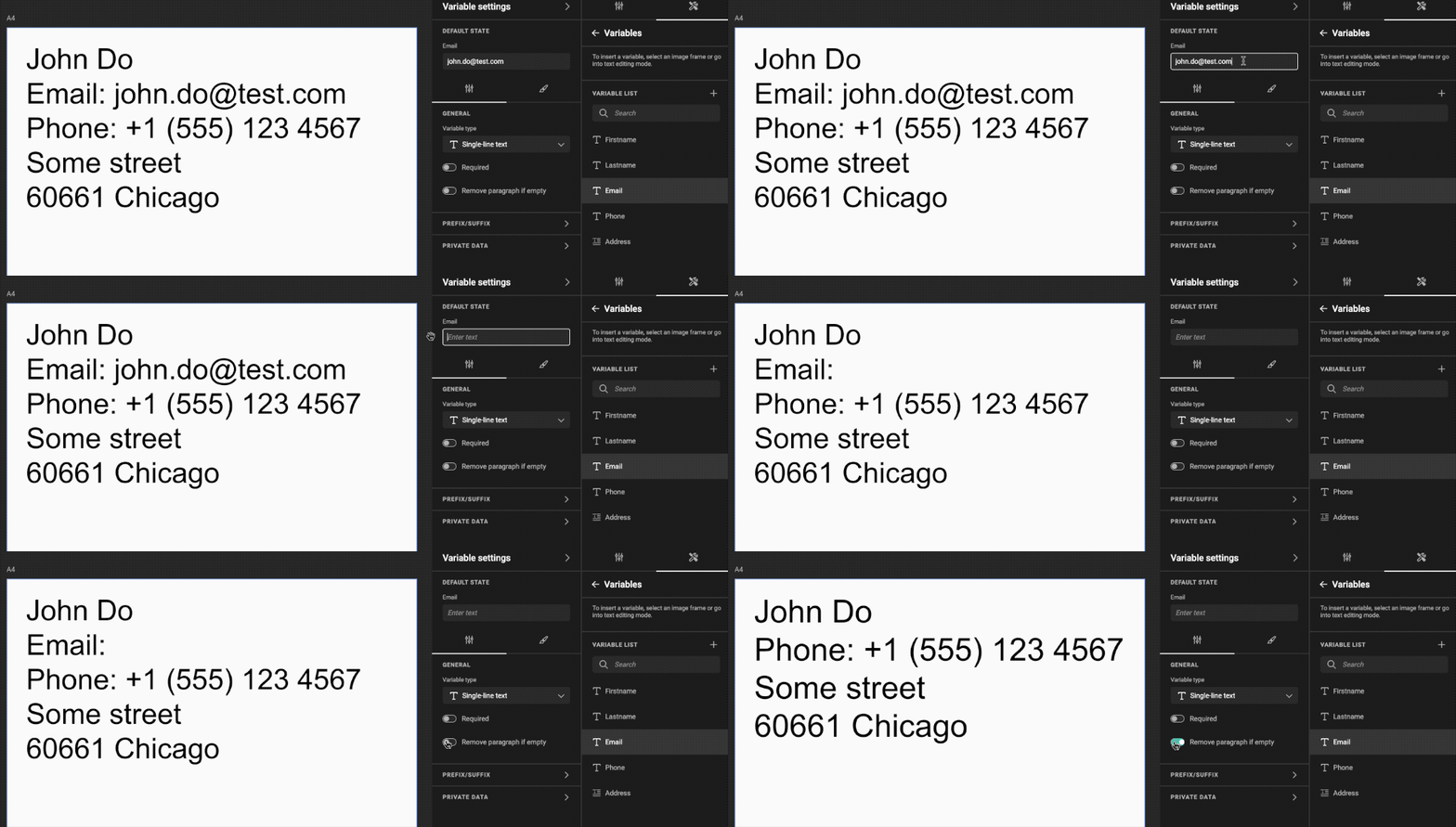
  • Sticky variable settings. Rename variables without losing the settings panel.

🔧 Under the Hood

  • Translatable strings auto-extracted from templates.
  • Canvas repaint refactor for smoother visuals.

🐛 Fixes & Polish

  • Name always included on Save As.
  • Stroked text keeps its position in PDFs.
  • No orphan style refs after Undo.
  • Template previews now consistently match final output.
  • Various performance improvements and other bug fixes.

Happy creating! 🎨
🎉 GraFx Studio Release Notes

rn_icon v1.26

✨ What’s New

Studio

  • 🌏 Support Indic languages
    Full support for Indic scripts (e.g., Hindi), with correct shaping and rendering for complex characters.

  • 🖼️ Improvements for per-asset crop
    Refined cropping interface for individual assets, making custom cropping more precise and previews more reliable.

  • 🗂️ Improvements for metadata mapping pop-up
    Enhanced modal with fixed scrollbar and better navigation for mapping asset metadata fields.

  • 🎨 Show color name and value in color picker
    The color picker now displays both the color’s name and hex value, assisting users in verifying and selecting precise colors.

  • 👁️‍🗨️ Show/Hide multiple frames at once
    Select and toggle visibility for multiple frames at the same time for faster, easier canvas management.

  • 🏷️ Stylekit becomes a Brand Kit
    “Stylekit” is now “Brand Kit” throughout the app.

  • 💡 Add tooltips in Run mode
    Contextual tooltips appear in Run mode, providing inline help for users reviewing or editing documents.

  • 📝 Add placeholder input field for multiline variable
    Multiline variable fields now show placeholder text, clarifying where to input content.


🛠️ Improvements & Fixes

  • Fix for auto grow
    Text and variable fields expand smoothly as content is entered, ensuring a fluid editing experience.

  • 📐 Fix for layout size in actions
    Layout sizes are now correctly handled during automated actions and scripting.

  • ⏱️ Fix for animation timeline
    Timeline bugs are resolved, delivering accurate keyframe placement and playback.

  • 🖼️ Fix for min, max value in image upload
    Upload validation now reliably enforces minimum and maximum image dimensions and size constraints.

  • 🏷️ Fix for collapsed whitespaces in frame name
    Frame names always display correctly, even with collapsed spaces.


🖥️ Studio UI

  • 🔢 Min and max help text for layouts
    Layout controls now display guidance on allowed min/max values for dimensions and other parameters.

  • 🌐 Variables and layouts translations
    Variable and layout names can be localized, making template UIs accessible in multiple languages.

  • ↔️ Supporting RTL (right to left)
    The UI, variable fields, and layouts now support right-to-left languages such as Arabic and Hebrew.

GraFx Publisher

rn_icon

✨ Improvements

  • Enhanced Back-office > Move operations for faster and more reliable folder / file relocations.

🛠 Fixes

  • Corrected an issue in which the Tree Level limit was not applied as expected.
  • Resolved a problem with Google Sheets data-source authentication that could prevent the connector from loading data.