GraFx Studio: Backgrounds on Character Styles and kerning
 v1.43
v1.43
✨ New & Improved
Background color on character styles
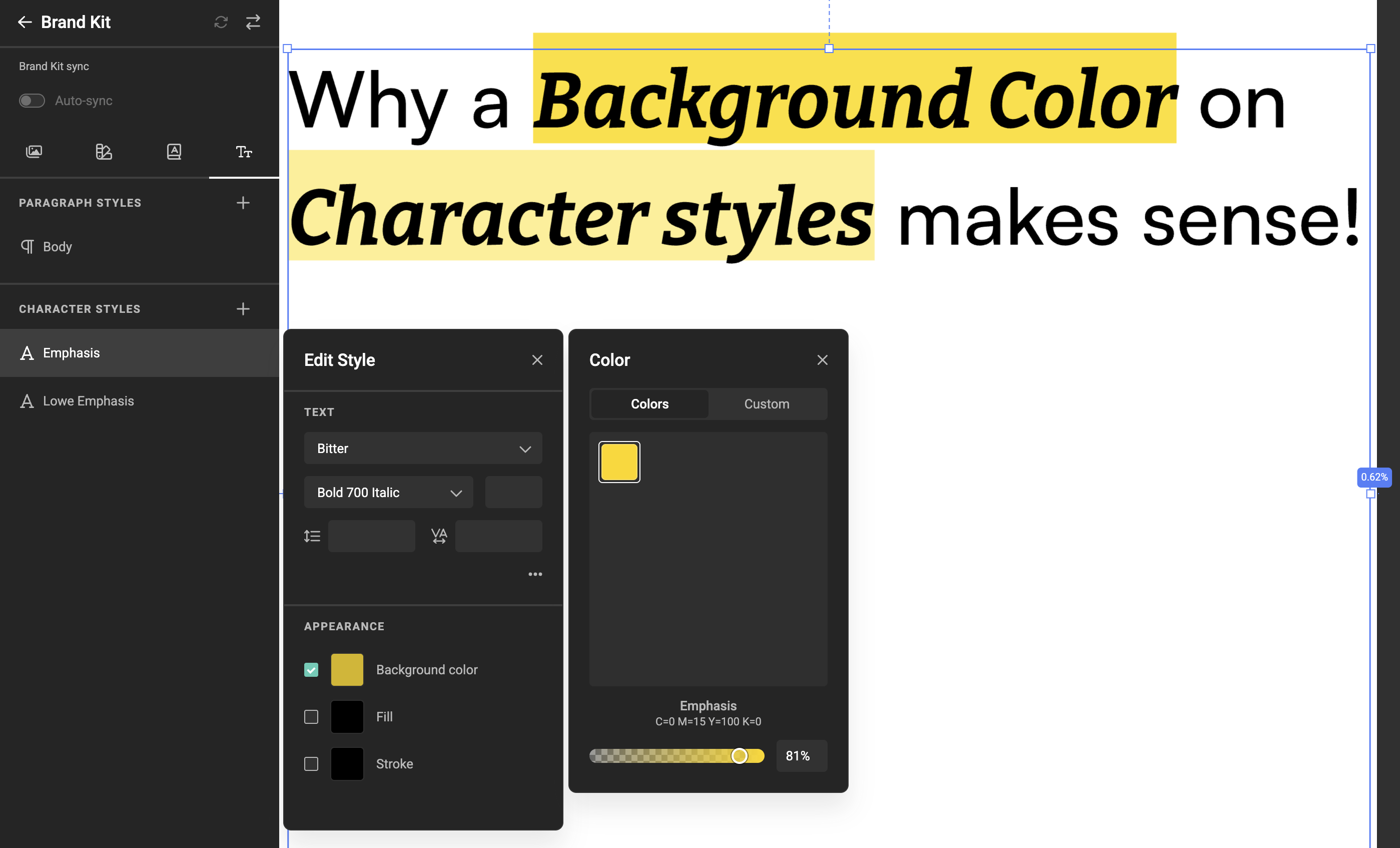
Character styles now support a background color — the colored highlight that sits behind a word or phrase, like a marker effect for headlines, badges, or labels. Pick any color from your Brand Kit (gradients included), apply the character style to your text, and the highlight follows along. When the text resizes to fit its frame, the highlight resizes with it, so it always stays neatly aligned.
Learn more: How to work with character styles.
Better letter spacing in text
Studio now applies the kerning pairs built into your fonts during text layout. Most professional fonts include small spacing adjustments between specific letter combinations — pairs like "AV", "JA", or "Te" — defined by the type designer to keep the rhythm of a line visually even. Studio picks these up automatically, so text rendering aligns closely with what you'd see in InDesign or Illustrator — with no extra setup on your side.
More options for image clipping masks
The clipping mask feature introduced in v1.42 lets you crop an image into a rectangle, ellipse, or polygon. This release adds a fourth option: a Custom shape — so an image can be clipped into any silhouette you bring in, including shapes from an InDesign export. More creative range for layouts that call for an unusual cut-out.
Learn more: Clipping mask on image frames.
Custom icons when creating frames
When you draw a new frame, you can now show a custom icon as the placeholder inside it — tailored to the design you're working on. A small touch that makes template setup feel more intentional and on-brand.
Clearer feedback when text exceeds its limit
When someone enters text longer than a text variable allows, Studio now shows a clear, contextual message explaining what's wrong and how to resolve it. Especially helpful in Studio UI, where end users are filling in templates on their own and benefit from immediate, plain-language guidance.
🛠️ Fixes
- Text inside Components renders crisply — text inside a Component now displays at the same sharpness as text anywhere else on the canvas.
- Animations in Components stay consistent — animations on frames inside a Component now play the same way in both the preview and the final output.
- Image variable settings preserved across mapping edits — settings on an image variable (browse options, hardcoded values) are now kept when you adjust its metadata mapping, so there's no need to re-enter them after each change.
- Aspect ratio checks restored in preflight — preflight once again reports frames whose content breaks their aspect ratio constraints, putting that check back in the preflight panel.
- Large image variable uploads complete reliably — uploading very large images (around 70–100 MB, such as high-resolution TIFFs) to an image variable now completes successfully; preview generation has the time it needs to finish.