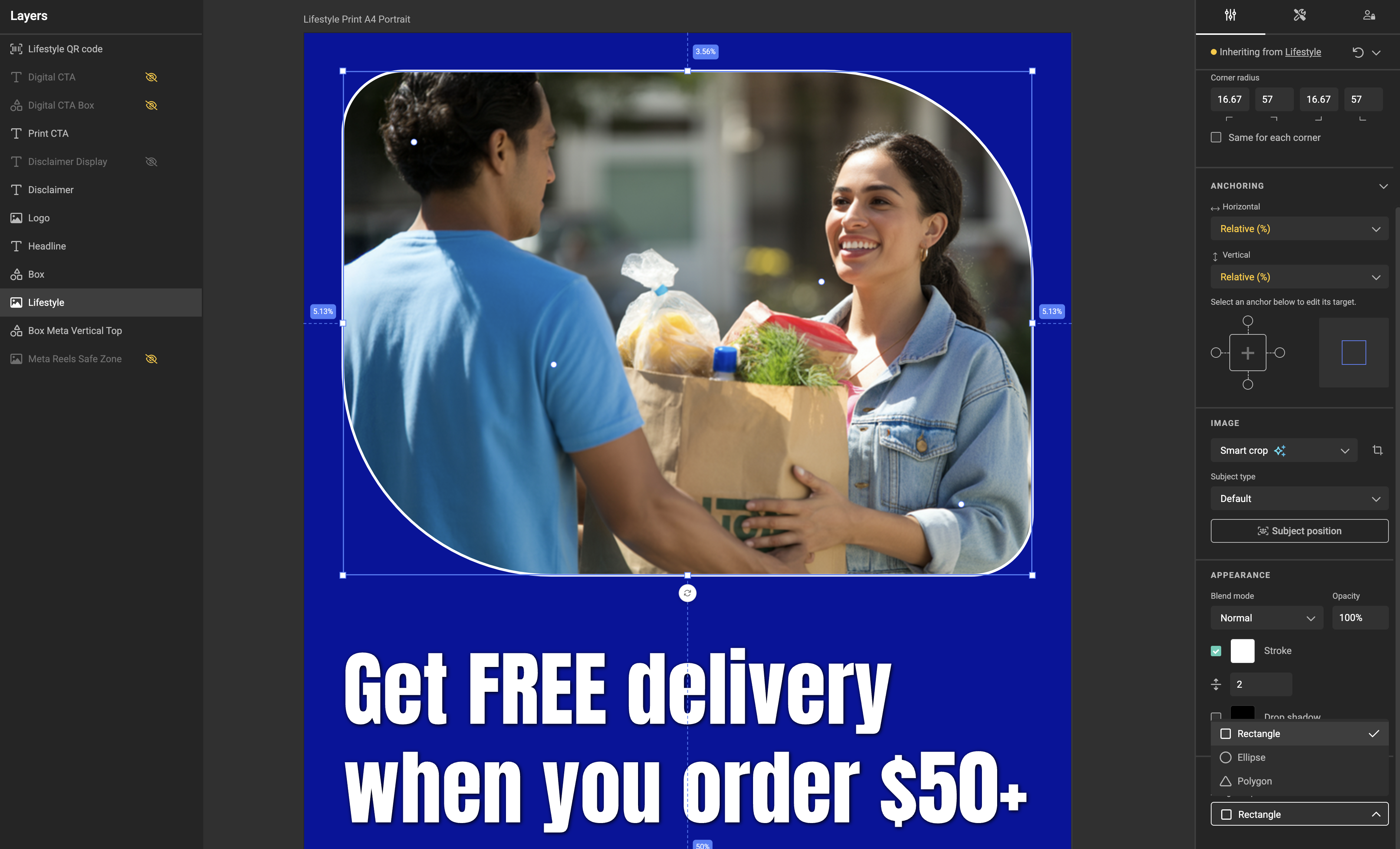
Image frames can now be masked with a rectangle, ellipse, or polygon — with corner radius and an optional stroke. Use the new Clipping mask section in the property panel to assign the shape, and the Appearance section to configure the stroke. Stroke and drop shadow follow the clipped path exactly.
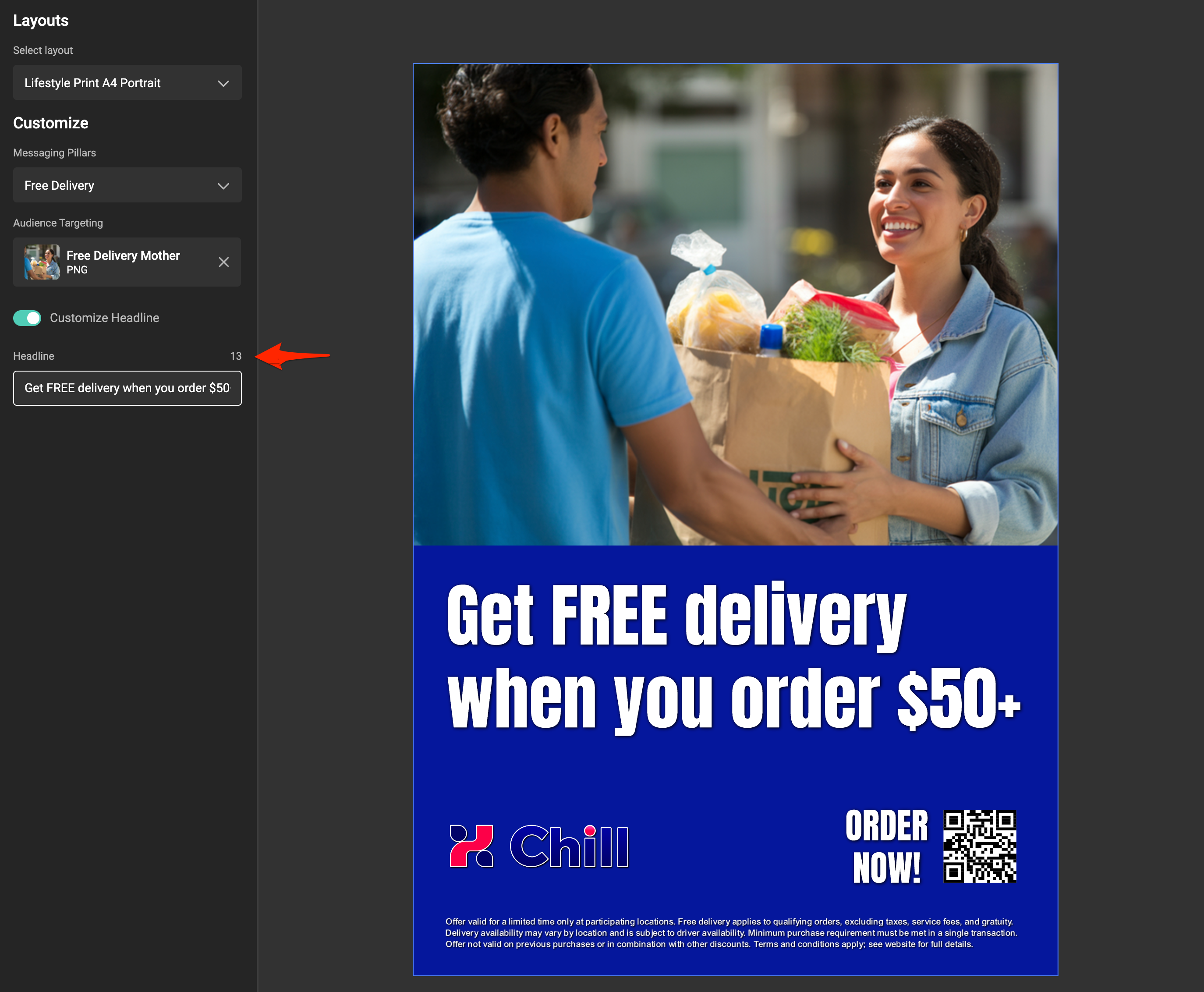
Single-line and multi-line text variables now enforce a maximum length in both the Template Designer (Studio) and the end-user UI (Studio UI). The input shows a remaining-characters counter, blocks typing past the limit, and truncates pasted text to fit.
Output status on hidden-page failures — animated layouts that excluded a failing page used to report Internal error. Failures are now reported as Failed with a meaningful message.
Component position after switching layouts — Flutter-based outputs could render components at the wrong size after switching between layouts of different dimensions. Components now stay in sync with the active layout.
A new version of the Connector CLI — the command-line tool used to develop, configure, and manage CHILI GraFx connectors — is available. It introduces a new command for removing connector authentication and brings several reliability improvements to connector setup and runtime behavior.
Connectors authenticate against external systems using one of the supported authorization types — Static Header Key or one of the OAuth 2.0 variants — configured via the set-auth command. Until now, undoing that configuration meant deleting and re-creating the connector.
The new delete-auth command removes a connector's authorization configuration cleanly, so you can switch auth types or revert to no authentication without recreating anything.
When you run set-auth, the CLI now correctly validates that all fields required by your chosen authorization type are present in the authorization data file. Missing or incomplete fields are flagged up front with a clear error, instead of surfacing later as a confusing failure when the connector first tries to authenticate.
Connector responses now include an explicit Cache-Control: no-cache header, ensuring that data fetched through a connector always reflects the current state of the source system — particularly relevant for connectors that return frequently-changing data such as asset listings, metadata, or search results.
Connector responses now align consistently with their declared content type, making downstream parsing and integration more predictable for anyone building against the Connector Framework.
You can now assign a subject type to an asset — a classification (for example: person, product, or logo) that tells GraFx Studio what kind of subject the image contains. When Smart Crop is active, the subject type influences how the crop is applied, for more predictable results across image categories. The subject type is also visible in the media details view alongside the asset's other metadata.
Subject types are now managed centrally in CHILI GraFx. A dedicated Subject types page lets environment admins define and maintain the list available across their environment, and the assigned subject type is shown on the media details view in the platform.
Brand Kits in GraFx Studio can now stay in sync with their source Brand Kit. In the Brand Kit panel, an auto-sync toggle keeps templates aligned automatically when you open a template or the panel, and a manual sync button lets you pull the latest Brand Kit changes on demand — no re-import needed.
Two new info messages make the Template Designer more transparent when autogrow is active:
Enabling constrain proportions on an autogrow frame now shows an info message explaining that frame handles aren't available on layouts where autogrow is active.
Rotation on an autogrow frame shows a similar info message explaining that rotation isn't available on those layouts.
PDF overprint — embedding PDF assets that contain overprint statements no longer strips the overprint from the final PDF output. See Embedded PDF assets.
Image variable metadata mappings — metadata mappings on image variables can now be updated after being set for the first time.
A new data connector is available in GraFx Studio — the CSV Data Connector. It lets you use any publicly accessible CSV file as a data source for your templates, with no authentication required.
Connect a CSV file to your template by pasting its public URL into the connector configuration. GraFx Studio reads the column headers and maps them to template variables automatically.
Supported out of the box: comma and semicolon delimiters, quoted fields, Excel UTF-8 exports, and automatic type inference per column — text, number, date, and boolean.
Records are browsable in Run Mode and the Studio UI.
Hosting requirement
The CSV file must be served with a Content-Type: application/json response header. This is a runtime constraint of the Connector Framework — the file content itself is unaffected. Any static host where you can set response headers (S3, Azure Blob, CDN) will work.
The Bynder connector is now available in the Connector Hub. Once installed, your GraFx Studio templates can browse and use assets directly from your Bynder DAM — no manual uploads required.
The connector supports OAuth 2.0 authentication, metadata mapping, and filtering by collection or folder view. Assets are accessible both when placing images on the canvas and through image variables.
Version 1.3.0 adds text column support, bullet and numbered lists, and improved handling of nested frames and locked layers — with fidelity fixes across both plugins.
InDesign: frame opacity for shapes; shapes with modified paths; position of rotated triangles; linked (threaded) text frames; crop of locked image layers; image crop in custom shapes.
Photoshop: export of shapes without a strokeStyle object; rounding of numeric properties during conversion.
Plugins are installable bundles that can include GraFx Studio components alongside other resources. You can now import those components directly through the Environment API when processing a plugin export — making it straightforward to distribute and deploy components as part of a plugin package across environments.
Components are reusable design elements you can place inside templates. Design a pricing block, product ad, or any branded element once — then reuse it across as many templates as you need. Update a component and every template that uses it updates automatically.
Place components from the Resources panel, use multiple instances per page, and map each instance to its own set of template variables. Each component has its own layouts, Brand Kit, variables, and actions.
Choose how a component fills its frame: Scale (matches by aspect ratio), Resize (uses anchoring and copyfitting), or Scale and resize (combines both).
Variable mapping is per instance — a template with three instances of the same component can give each its own independent data.
Template designers can now control whether end users may crop images within a frame. Disabled by default, this is a per-frame setting. When enabled, users see a crop icon and can drag the image within the frame — frame size and position stay fixed.
For Fit, Fill, or Smart crop frames: each image gets its own individual crop. For Manual crop frames: the crop area is shared across all images in the frame.
Connector developers can now set a header value that applies across all instances sharing the same remote connector ID — useful for passing a shared API key or session token once, without configuring it per instance.
When text editing constraints are enabled on a text frame, the font size constraint is now on by default. Previously it was off, which could cause unexpected results when restricting all text editing properties.
Missing font no longer crashes output — output now continues with a fallback if a referenced font is unavailable.
Images can now be assigned to frames with Smart crop — a regression had blocked new image assignments to Smart crop frames.
Image crop in Manual crop mode now saves correctly — crop settings in Run Mode were not being saved for Manual crop frames.
Datasource modal error state — the modal now correctly shows empty or error state when the datasource returns no data.
Text constraints rotation label — a typo in the rotation info message has been corrected.
Connector token refresh for auth type "none" — the token refresh flow now correctly handles connectors with no authentication configured.
getPageSnapshot now returns meaningful errors — invalid page ID calls now return a clear error instead of an opaque response. Note: page IDs changed from integers to GUIDs in a previous release — integrations hardcoding a numeric page ID will need to be updated.
You can now retrieve DateCreated and LastModifiedContentUtc for templates directly from the API — making it easier to track when a template was first created and when its content was last changed.
Both fields are available on the template list and the individual template endpoints:
GET /api/v1/environment/{environmentId}/templates
GET /api/v1/environment/{environmentId}/templates/{templateId}
This is useful for integrations that need to sort templates by recency, detect changes since a last sync, or display audit information in a connected system.
The AI model powering the Product Image Creator in GraFx Labs has been upgraded, resulting in noticeably improved image quality. Product images now render with more accurate detail, better composition, and sharper results — with no changes needed on your end.
 v1.42
v1.42