-
-
-
-
- Introduction
-
-
- Actions
- Action Helper Functions
- Anchoring
- Animation
- Barcodes
- Brand Kits
- Bleed
- Blend modes
- Color Management
- Components
- Components - Variable mapping
- Components - Studio strategy
- Connectors
- Connectors for Data
- Connectors for Media
- Constraints
- Crop
- Crop Marks
- Design & Run
- Drop Shadow
- Frames
- Gradients
- GraFx Genie for Actions
- Headless
- Keyboard Shortcuts
- Layers
- Layouts
- Layout Size Constraints
- Layout Intent
- Manual Crop Override
- Output settings
- Output Tasks
- Pages
- Private Data
- Shapes
- Snapping
- Smart Crop
- Self-service
- Template Management
- Tags
- Text Direction
- User Interfaces
- Variables
-
- Hello world
- Anchoring
-
- Brand Kits
- Blend modes
- Bulleted Lists
- Character Styles
- Colors
- Components - Build
- Components - Use
- Create Layouts
- Crop images
- Drop Shadow
- Fonts
- Gradients
- Image Frames
- Create Layouts
- Layout size constraints
- Numbered Lists
- Pages
- Paragraph Styles
- Shape Frames
- Smart Crop
- Text Frames
-
-
-
- Define template variables
- Variable Visibility Conditions
- Add template variables
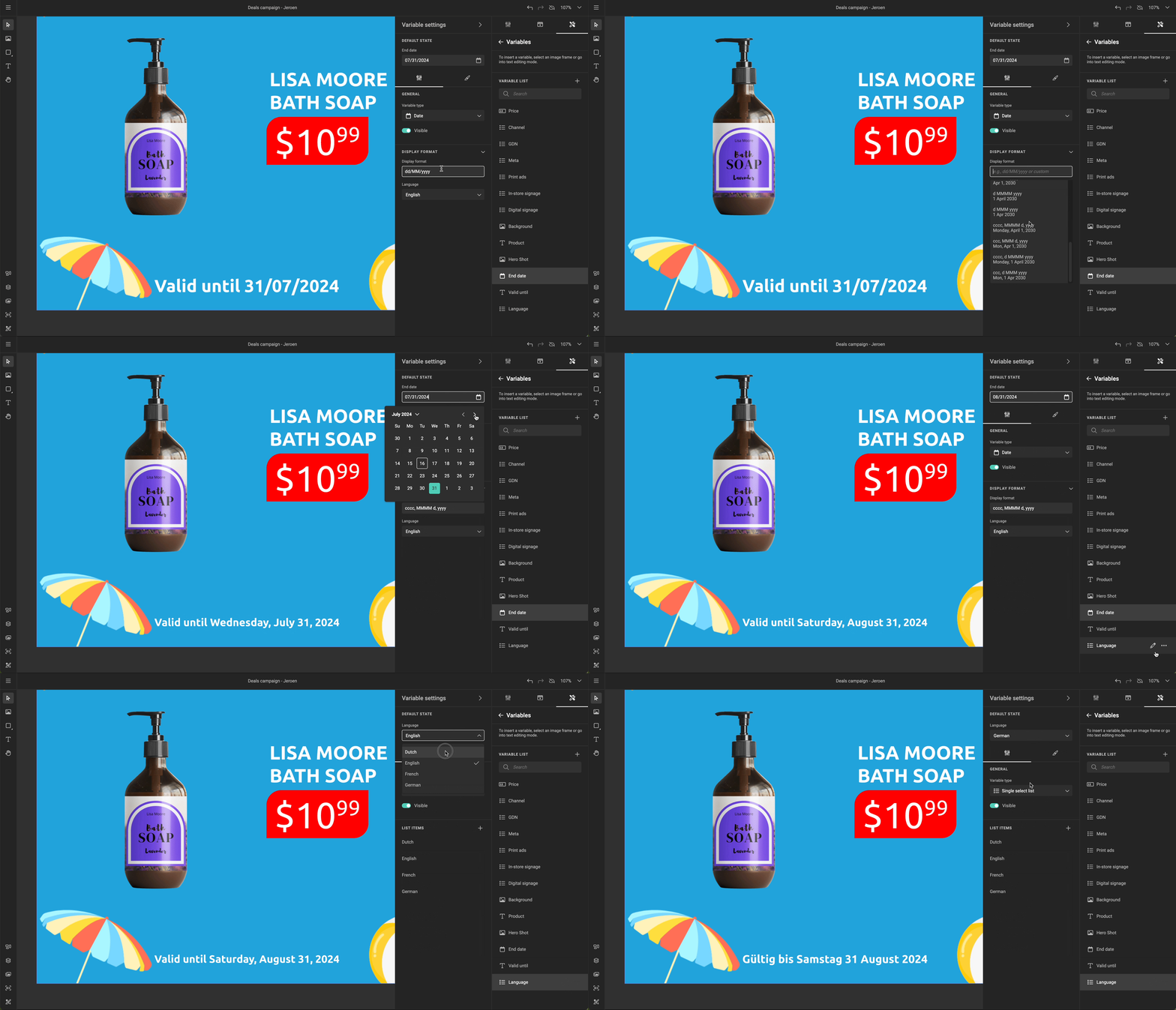
- Date variables
- Image variables
- Multi-line text variables
- Single-line text variables
- Number variables
- Variables private data
- Create Actions
- Write Actions Javascript
- Example: Change Layout
- Example: Hide frame
- Example: Multiple frame hide/show
- Example: Currency change
-
-
-
-
-
-
- Integrate GraFx studio ...
-
-
-
-
-
-
- Integrate CHILI GraFx
-
-
- Integrate GraFx studio ...
-
- Moving from GraFx Publisher
-
-
- 00 Workshop Overview
- 01 Setting Up The Project
- 02 Creating Store Pages
- 03 Setting The Login Page As Default
- 04 Handling User Sessions With Cookies
- 05 Constructing a Mock Database
- 06 Displaying Mock Templates
- 07 Register Templates
- 08 Authentication and Environment Configuration
- 09 API & Template Management
- 10 Implementing Editable Projects
- 11 Authentication Data Management
- 12 Get Project JSON
- 13 Project Save and Order Endpoints
- 14 Order Handling
- 15 Implementing Previews
- Final Words
-
- References
-
Overview
- 2 min read
GraFx Studio adds support for QR and barcodes
QR and barcodes
- Add a QR, EAN-13, EAN-8, UPC-A, UPC-E, Code 39, Code 93, Code 128, GS1-128, or DataMatrix code to your template
- 1 min read
CHILI GraFx platform updates
New features
- Multi selection of visible items in list-view

- Download render usage report for all environments within 1 subscription and for single environment
Improvements
- Logging out cleans up sticky caches
- Media previews cache optimizations
- General improvements and fixes
- 1 min read
CHILI GraFx Platform API
Improvements
- Federated users are visible in user management and in user group users list. This was available for end users.
New
- Total subscription usages report. Reports are available for the Subscription Admin role
- 1 min read
- 1 min read
GraFx Publisher Updates
Improvements
- Strengthened security of REST API
Fixes
- Fixed issue when drag and drop failed from external assets panel
- Fixed error related to naming issue during certain API calls
- 1 min read
Environment API 1.5.0
Several improvements are made to the Environment API. Some changes will be visible in the Platform and Applications in a future update, but are now available in the API.
Some updates are to improve functionality.
- 1 min read
- 2 min read
GraFx Studio goes multichannel!
A major update for GraFx Studio, introducing PDF output, print production features, layout intents, and output settings.
- 1 min read
CHILI GraFx platform updates
Improvements
- Info message for Subscription - & Environment Admin users when clicking on a template
- UI improvements for dashboard and list view of Grafx Studio Templates, GraFx Media and GraFx Fonts
- Improved navigation to integrations from the environment page