GraFx Studio
Version 0.116.2, using Studio SDK 0.116.0
Features
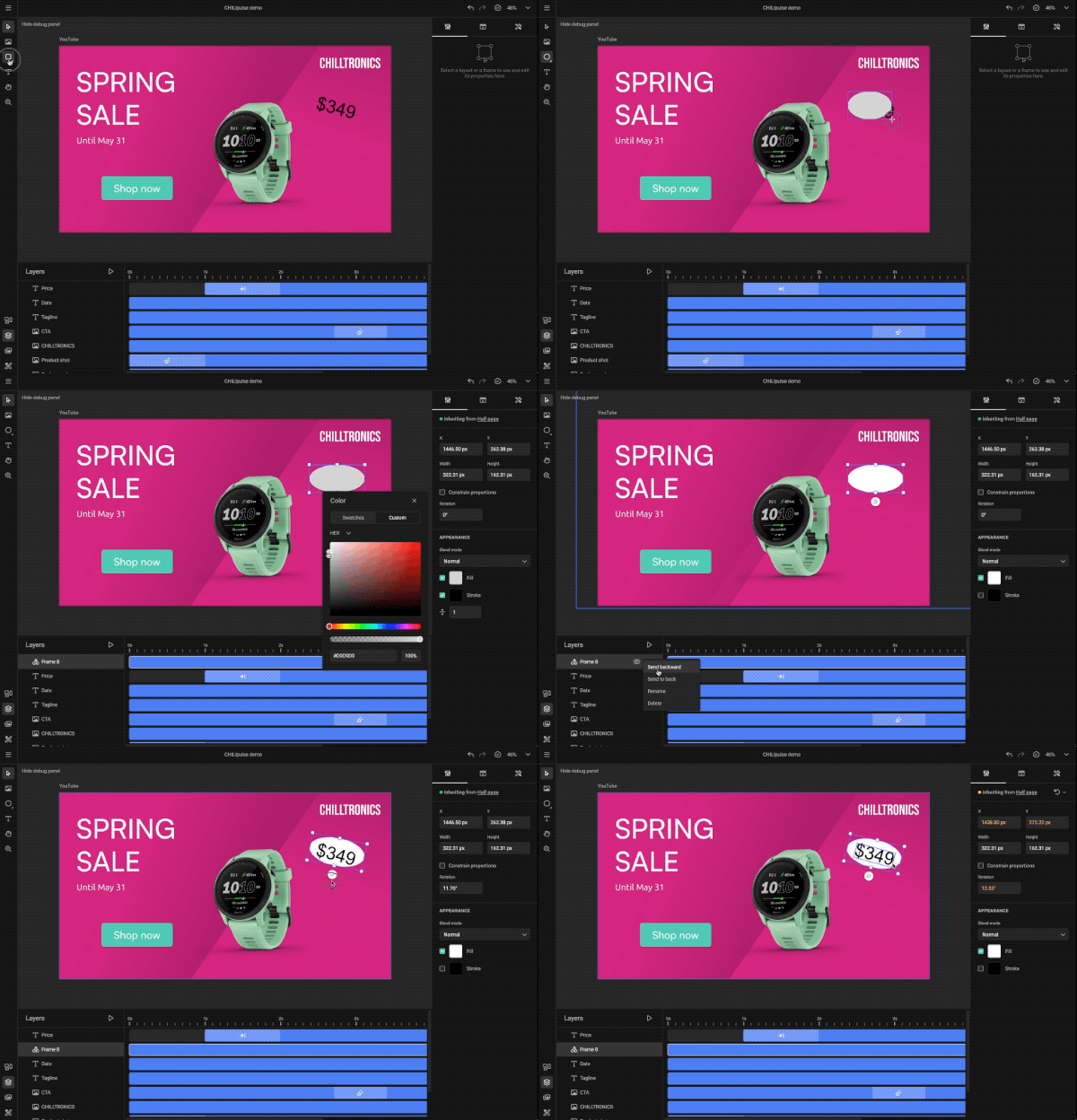
- You can now add rectangle, ellipse, and polygon shapes to your design, by using a new Shape tool in the left toolbar. In the properties panel, you can set a blend mode and change the fill and stroke color, to customize as you want. (There are still a couple of known issues, which will be addressed in the next release!)
Improvements
- You can select text on the page when the Text tool is active (previously it would create a new text frame instead)
- The layout name above the page is not scaled when zooming in or out
- Blend mode is not applied when in text edit mode (this makes editing text easier)
- Internal optimization to significantly increase the performance or rendering frames on the canvas
Fixes
- Fixed issue with the Width and Height properties both getting an override when only one of the two was changed
- Fixed issue with changing a font in a text frame when the animation is paused inside an animation block for that frame