Skip to content

Releases

Numbered Lists & Improvements

rn_icon v1.35

✨ New & Improved

GraFx Studio + Engine

  • Added numbered lists in paragraph styles
    Define and apply multi-level numbered lists with configurable formats, symbols, and indents.
    Read the guide

Numbered lists with paragraph style

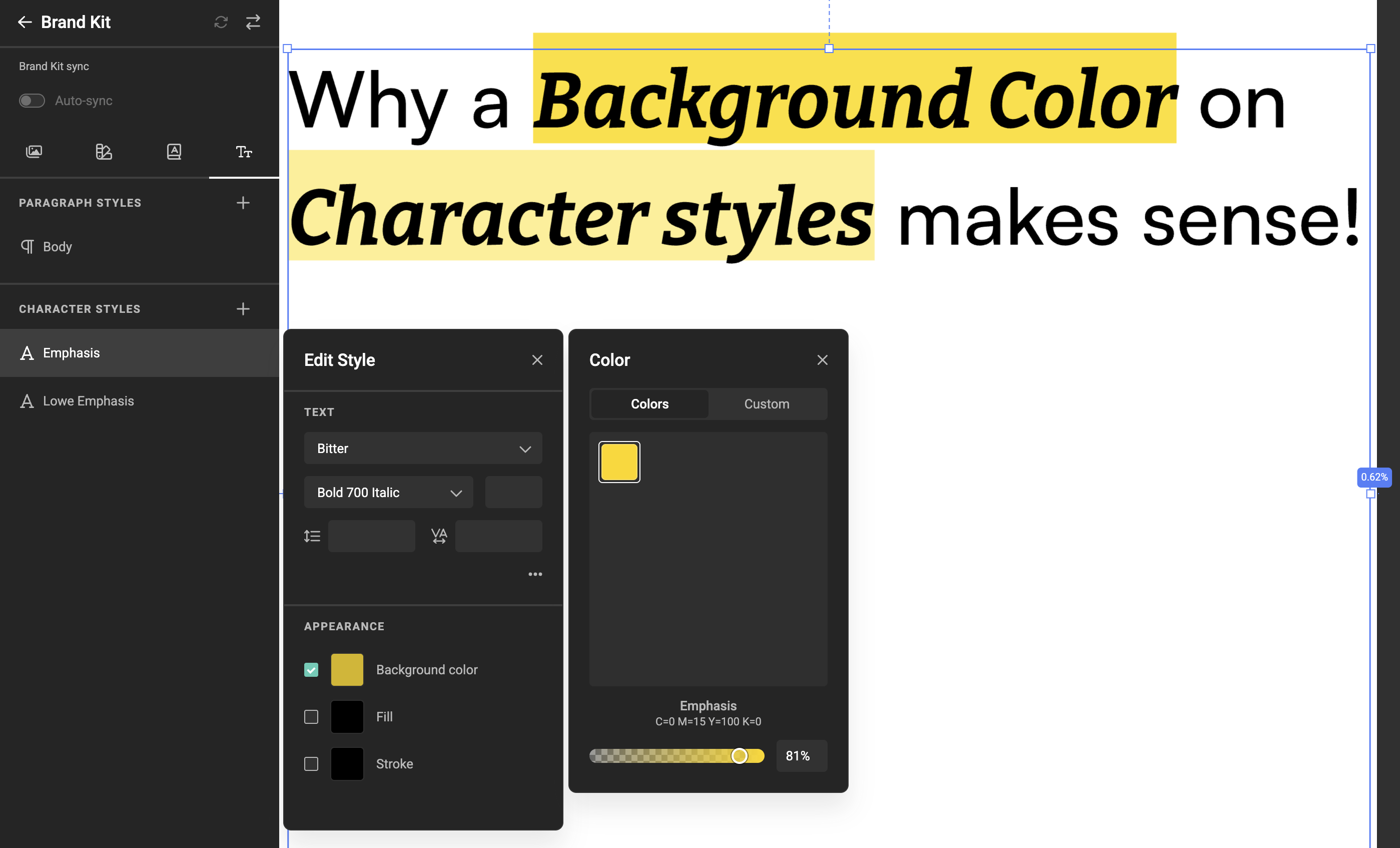
  • Improved bullet list icon rendering with character styles
    Bullet icons now correctly reflect the font defined in the assigned character style.
    If no character style is assigned, or if its font is set to None, bullets fall back to the paragraph style font.

  • Improved error handling during Studio loading
    When global configuration or load issues occur (for example, when the engine cannot be loaded), Studio now informs users with a clear in-app message.

  • Added onLoadError event for integrators
    Integrators can now listen for load failures and inspect what went wrong during Studio startup (for example, engine load issues).

  • Added configuration validation for non-TypeScript integrations
    For integrations not using TypeScript, parts of the configuration object are now validated at startup. If validation fails, Studio loading is blocked and the issue is reported via browser alert and console output.

Fixes

Several improvements and fixes

Opacity Import with plugins

rn_icon

Improved

  • Added opacity import from Adobe® InDesign® and Adobe® Photoshop®.
    Object opacity settings defined in the source files are now preserved when importing designs into GraFx Studio.

  • Applies across shapes, text, and images, including blend mode behavior and multi-layer compositions.

Opacity settings in Adobe Indesign

Why this matters

Designs now retain their intended transparency and visual layering when moving from Adobe tools into GraFx Studio—reducing manual fixes and ensuring more predictable results in templates and automated output.

More info

Read more on the Adobe® InDesign® plugin 1.1.0

Read more on the Adobe® Photoshop® plugin 0.3.0

Bulleted Lists & Improvements

rn_icon v1.34

✨ New & Improved

GraFx Studio

  • Added bulleted lists in paragraph styles
    You can now define and apply bulleted lists through paragraph styles, including assigning a character style to control the visual styling of the bullet itself.

Bulleted lists with paragraph style and character styles

  • Improved frame selection
    Ctrl/Cmd-click now cycles through overlapping frames at the cursor and collapses multi-selection to the topmost hit for more precise control.

  • Extended HTML output (Experimental)
    The HTML renderer now supports frame opacity, aligning HTML output with standard visual behavior.

HTML Output & Frame Opacity

rn_icon v1.33

✨ New & Improved

GraFx Studio

HTML output

  • Added support for frame opacity.
    All frames now support opacity settings (alpha channel), enabling overlay effects and layered layouts.
    See more on Opacity

Frame Opacity

  • Added an error warning when opening a template with a misconfigured font connector.
  • Added a shortcut for duplicating frames (ALT + Drag).
  • Added a warning screen for devices or browser windows under 768px width, informing users that a minimum screen size is required for GraFx Studio to work properly.

Screen size warning

  • Improved gradient stop removal (drag out of the gradient to remove).

Gradient stop removal

  • Updated plugins to support gradient import.

CHILI GraFx

  • Improved project overview with new list and grid views.
    You can now search and sort your existing projects for easier navigation.
    See more on My Projects

  • Introduced a new mobile navigation menu at environment level for faster access on smaller screens.

  • Optimized the avatar menu for mobile, improving usability and touch interactions.
  • Optimized render reporting.

🛠️ Fixes

CHILI GraFx

  • Fixed the position of the action menu for Brand Kit media.

GraFx Studio

  • Fixed truncation of media titles in the media panel.
  • Fixed the action editor not loading due to a frame anchoring loop.
  • Fixed issues with copyfitting and baseline shift.
  • Fixed infinite anchoring loops.
  • Fixed an issue where copyfitting caused a character to overlap the preceding character instead of spacing or wrapping correctly.

HTML Output, Bulleted Lists & Frame opacity

rn_icon v1.33

✨ New & Improved

GraFx Studio

  • Introduced HTML output (Experimental) for templates.
    You can now export designs as HTML for use in solutions like digital signage.
    See more on HTML output

  • Enabled bulleted lists in paragraph styles.
    Define bulleted list styles through Paragraph Styles.
    Read the guide

  • Added support for frame opacity.
    All frames now support the opacity settings (alpha channel), enabling overlay effects and layered layouts.
    See more on Opacity

Linear Gradients, Variable- & GraFx Genie Enhancements

rn_icon v1.32

✨ New & Improved

Linear gradient

GraFx Studio + Engine

GraFx Genie

  • Raised the max character count to 4000, allowing for longer prompt input.

🛠️ What's Fixed & Improved

GraFx Studio

  • Fix for Indic languages.
  • Fixed loading a new document sometimes didn’t load the canvas.
  • Number variable now blocks non-finite values.
  • Fix for resizing cursor: shouldn’t show when hovering frame borders in text edit mode.
  • Fixed an issue where typing “G” inside focused form elements could show translation keys.
  • Improved GraFx Genie to include selected triggers in its context.
  • Improved GraFx Genie to prevent circular references.
  • Fixed that nested folders wouldn’t open in the variable image picker when a media connector folder path was set.
  • Number variables now reject non-finite values (NaN/±∞) from Actions/SDK to avoid JSON save failures.

GraFx Studio UI

  • Fix for scrolling tray component on mobile devices.

Drop Shadow & Stability Fixes

rn_icon v1.31

✨ New & Improved

GraFx Studio + Engine

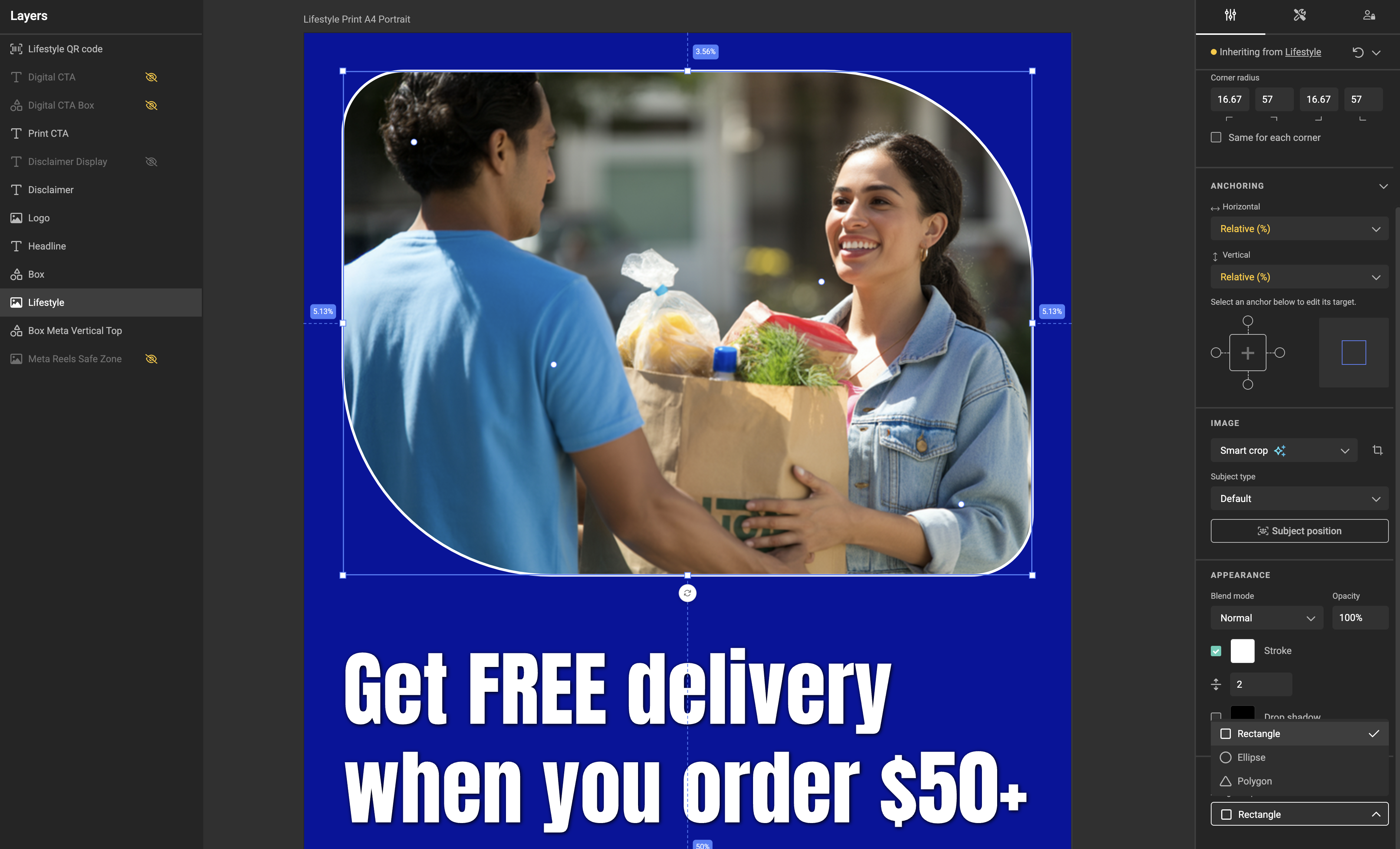
  • Added Drop shadow support for all frame types.
  • Support for invisible frames during import from plugins.

Drop Shadow

Studio UI

  • Improved image upload experience:
  • Show spinner inside image picker during upload and preview loading.
  • Display “Loading preview” message until thumbnail is ready.
  • Disable further uploads or browsing while an upload is in progress.
  • Show clear error messages below the image picker:
    • Missing asset (404 or connector configuration change).
    • Unauthorized error if access to connector is denied.
  • Increased number of datasource rows per page from 15 to 50.

🛠️ What's Fixed

GraFx Studio + Engine

  • Fixed crash occurring during GraFx Studio loading.
  • Bug fix for search in several connectors.
  • Bug fix for Delete button when pressed while moving a frame.

Text Stroke & Smarter Studio Controls

rn_icon v1.30

✨ New & Improved

GraFx Brand Kits

  • Added text stroke option for Paragraph and Character styles

Add stroke to your Paragraph and Character styles

Studio

  • Brand Kit importer supports text stroke
  • New option to restrict proportions to layout settings
  • Add support for constrain proportions (Studio UI)
  • Help text for media connector configuration options
  • Show resizing cursor when hovering on frame borders
  • Performance improvement for templates with a large number of variables
  • Improvement for AllLayouts view (Studio UI)

🛠️ What's Fixed

Studio & Studio UI

  • Fix for clearing min and max size in image upload
  • Fix for mediaConnector.download call
  • Fix for output and missing blend modes
  • Fix for layer fill color when resetting overrides

GraFx Studio UI – Upload and Browse assets

rn_icon v1.29

✨ What’s New

Upload and Browse assets simultaneously

End users can now both upload and browse assets through Image Variables.

This feature is active for GraFx Media. Template designers can configure image variables to support both browse and upload functionalities. Directories in GraFx Media for upload and browsing can both be configured for the same variable.

Browse and Upload assets through variables in GraFx Media
Browse assets Upload assets

✨ Improved

  • Improvements for Form Builder.

🛠 Fixes

  • Resolved issue in Studio UI where removing the backButton from options, the download popup doesn't line up with the button.